100×worker · job analysis
Will AI Replace Web Designers, and What Should You Do About It?
Web design keeps showing up in surveys and research papers as one of the roles most exposed to generative AI, but exposure is not the same as replacement. Microsoft Research analyzed 200,000 real Copilot conversations across occupations in 2025 and built a public applicability score dataset that shows which parts of a job AI tools already touch in practice, not which jobs disappear.
Anthropic's Economic Index adds a second layer to this picture. It classifies millions of Claude conversations against O*NET task lists and splits AI use into two patterns: automation-like use, where AI does the task directly, and augmentation-like use, where a person stays in the loop and AI supports the work. For web designers, both patterns show up constantly: AI writes boilerplate code and alt text on its own, but a designer still decides what a page should feel like and whether a client's brand comes through.
Across the wider population, adoption is already high. In 2025, 32.7% of the EU population aged 16 to 74 had used generative AI in the previous three months, according to Eurostat. For a role built on digital tools from day one, that number is a floor, not a ceiling. This article breaks the web designer's task list into four buckets: what disappears, what runs on autopilot, what you hand off with a check, and what stays yours.
A web designer plans, designs, and builds digital interfaces, ensuring usability, brand consistency, and technical quality of websites.
The task split: what AI takes over and what stays yours
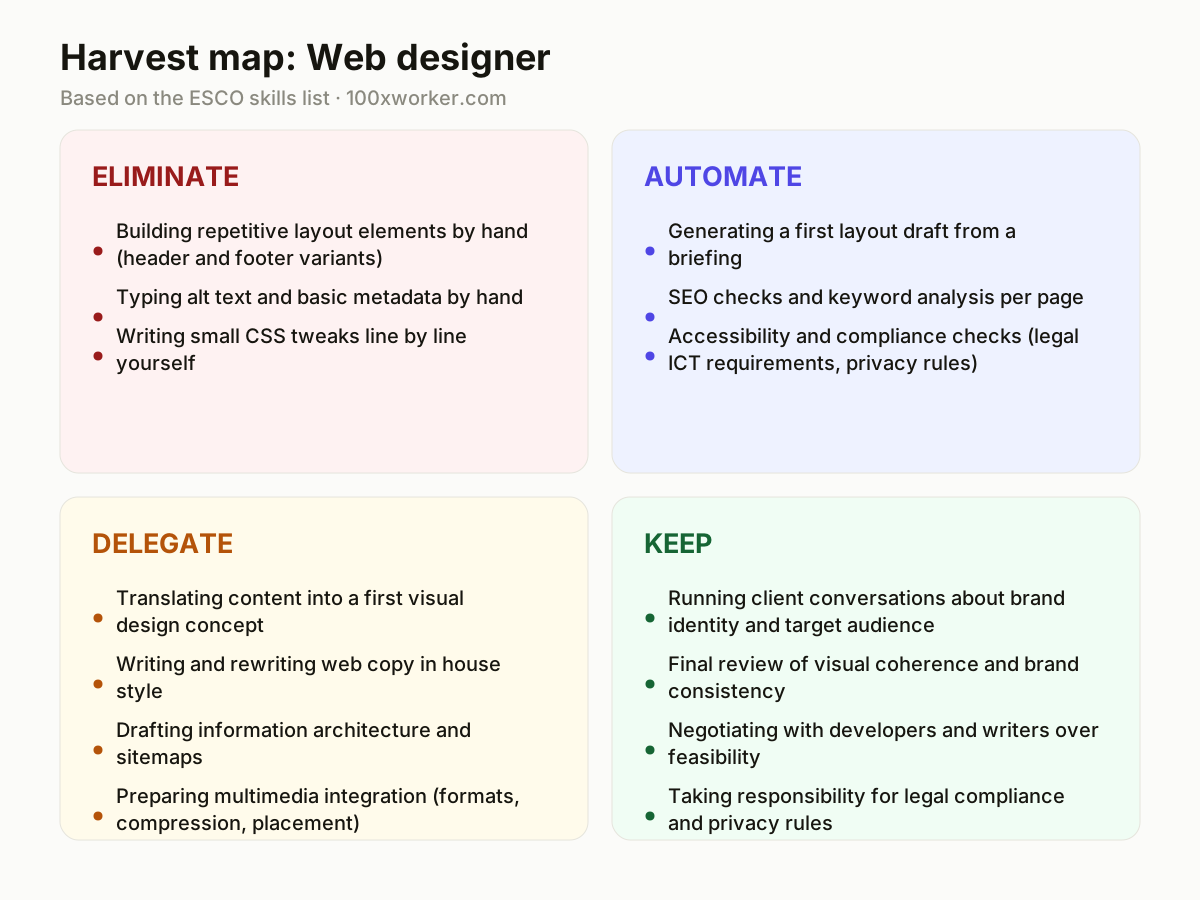
Instead of asking whether AI replaces web designers, it helps to break the job into its actual tasks and sort each one into four buckets: eliminate (AI does it, the manual version disappears), automate (AI runs it end to end, you check the output), delegate (AI produces a first version, you steer and correct it), and keep (judgment, relationships, and accountability that stay with you). This mirrors how labor researchers now analyze jobs: not as a single title, but as a bundle of tasks that shift individually.
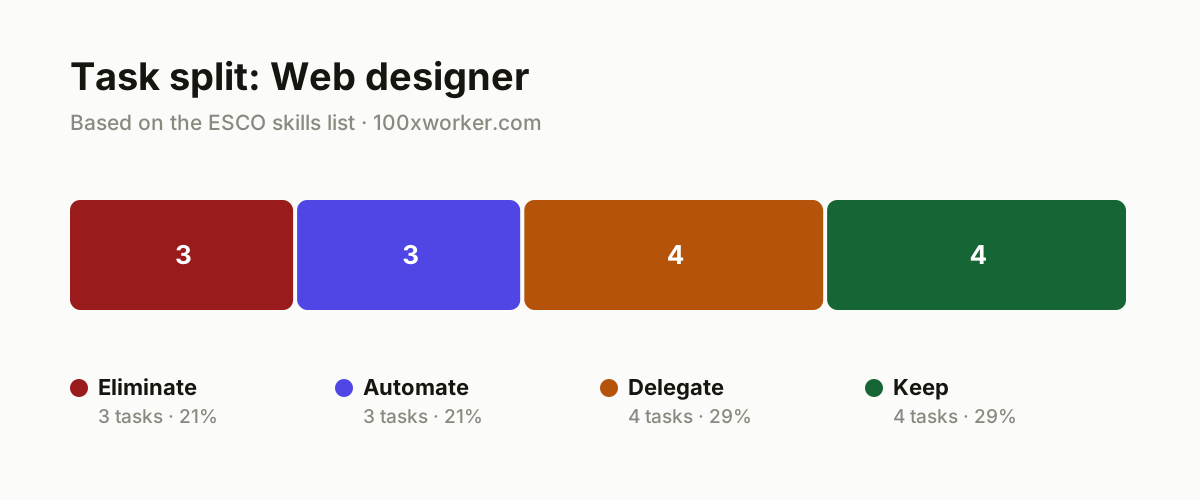
| Task | Bucket | Why |
|---|---|---|
| Building repetitive layout elements by hand (header and footer variants) | eliminate | Templates and component libraries do this faster and more accurately than manual repetition. |
| Typing alt text and basic metadata by hand | eliminate | AI generates alt text and metadata directly from images and context, with no manual step required. |
| Writing small CSS tweaks line by line yourself | eliminate | AI applies small CSS changes instantly, so a manual intermediate step is unnecessary. |
| Generating a first layout draft from a briefing | automate | AI tools build production-ready wireframes and working HTML/CSS directly from a brief. |
| SEO checks and keyword analysis per page | automate | Agents scan content against keywords and search optimization rules automatically, without a manual pass. |
| Accessibility and compliance checks (legal ICT requirements, privacy rules) | automate | Automated audits catch contrast errors, missing labels, and privacy risks faster than a person can. |
| Translating content into a first visual design concept | delegate | AI turns a brief into a first design proposal, you adjust it for brand and taste. |
| Writing and rewriting web copy in house style | delegate | AI delivers a first draft in house style, you guard tone, nuance, and legal wording. |
| Drafting information architecture and sitemaps | delegate | AI proposes a first sitemap based on stated goals, you check it against real user logic. |
| Preparing multimedia integration (formats, compression, placement) | delegate | AI handles file formats and compression, you decide where the story sits on the page. |
| Running client conversations about brand identity and target audience | keep | Clients rarely state outright what they actually mean by their brand. (Your edge: Reading unspoken expectations and building trust.) |
| Final review of visual coherence and brand consistency | keep | Aesthetic judgment about what works and what does not stays human work. (Your edge: Weighing taste and context no dataset captures.) |
| Negotiating with developers and writers over feasibility | keep | Aligning across disciplines takes social skill and the ability to compromise. (Your edge: Human alignment between technical and creative interests.) |
| Taking responsibility for legal compliance and privacy rules | keep | Legal liability for mistakes stays personal and cannot shift to a tool. (Your edge: Final accountability you cannot delegate to software.) |
What tasks does AI take over from a web designer?
AI already handles the mechanical parts of web design: generating boilerplate HTML and CSS, writing alt text and metadata straight from an image, and running SEO or accessibility checks against a page. Anthropic's Economic Index describes this as automation-like use, where the tool completes the task with little human input. These are the tasks in the eliminate and automate buckets: repetitive, rule-based, and fast to verify. What AI does not take over is deciding what a page should communicate or how a brand should feel, which is why the job shifts rather than disappears.
Will AI replace web designers?
No single tool replaces the role, because web design combines technical execution with client judgment, negotiation, and legal accountability. Microsoft Research's applicability data and Anthropic's Economic Index both show AI reshaping tasks within occupations rather than erasing entire job titles. ESCO, the European Commission's occupational taxonomy, lists 3,039 occupations described at the task and skill level, which is exactly the granularity that matters here: a web designer's task list gets shorter and more focused on judgment calls, but the role itself keeps a clear place in that taxonomy.
How do you become the AI person on your web design team?
Start by owning the tools your team already touches: set up AI-assisted layout generation in Figma or a code-first builder, then document which outputs need a manual fix and which are safe to ship as-is. Build a short checklist for accessibility and privacy compliance that a junior designer or the AI itself can run before every launch. Offer to review AI-generated copy and code for brand tone and legal wording, since that review step is exactly where your judgment adds value that a tool cannot replicate on its own.
What can you do this month as a web designer?
Pick one recurring task from your workload, such as writing alt text, drafting a sitemap, or running an accessibility scan, and test an AI tool against it for two weeks. Track how much editing the output needs before it is client-ready. Use that data to decide whether the task moves into your automate or delegate bucket, and use the time you save to spend more hours on client conversations and final design review, the parts of the job that stay clearly yours.
AI use splits into automation-like use, where the tool completes a task directly, and augmentation-like use, where a person stays in the loop.
Anthropic Economic Index
Become the AI person on your team
Turn briefings into AI-ready prompts
Write a reusable prompt template that captures brand voice, target audience, and technical constraints for every new project. Share it with your team so everyone gets consistent first drafts from AI layout and copy tools, cutting rework later.
Build a compliance checklist AI can run first
List the accessibility standards, privacy rules, and legal ICT requirements your projects must meet, then run that checklist through an automated audit tool before your own manual review. This catches obvious errors early and frees your time for judgment calls.
Track editing time on AI drafts
Keep a simple log of how long you spend correcting AI-generated layouts, code, and copy per project. Use it to argue for tool budgets or workflow changes with concrete numbers instead of general impressions.
Want this for your actual task list?
The free scan on the homepage builds your personal task map in 30 seconds, based on your role and industry.
Run the free task scanTools for this work
| Tool | For which tasks | The sober take |
|---|---|---|
| Figma (AI features) | First layout drafts, component generation (automate/delegate buckets) | Speeds up early concepts, but final visual judgment still needs a human pass. |
| v0.dev or GitHub Copilot | Generating HTML/CSS scaffolding from a brief (eliminate/automate buckets) | Good for boilerplate code, weak on brand-specific detail without editing. |
| axe DevTools or Lighthouse | Accessibility and compliance checks (automate bucket) | Catches contrast and label errors fast, but does not replace a legal compliance sign-off. |
| ChatGPT or Claude | Web copy drafts, sitemap proposals, alt text (delegate/eliminate buckets) | Useful for first drafts, still needs a tone and accuracy check before publishing. |
Prompts to try today
First-draft sitemap from project goals
Accessibility and compliance pre-check
Brand-consistent copy rewrite
Related jobs
Frequently asked questions
Do web designers need to learn to code more or less because of AI?
Less time goes into writing boilerplate HTML and CSS by hand, since AI tools generate that from a brief. But understanding code still matters, because you need to judge whether AI-generated markup is clean, accessible, and maintainable. The skill shifts from typing code to reviewing and correcting it, which still requires technical literacy.
Will AI tools replace client meetings and brand strategy work?
No. Client conversations about brand identity and audience rely on reading unspoken expectations and building trust, tasks that stay in the keep bucket. AI can summarize meeting notes or draft a brand brief afterward, but the conversation itself and the judgment calls that follow remain a human responsibility.
Which web design tasks are safest from AI automation right now?
Final visual review, brand consistency checks, negotiating scope with developers and writers, and taking legal responsibility for compliance stay largely human. These tasks depend on taste, context, and accountability that current AI tools do not carry. Tasks built on repetition, like alt text or basic layout scaffolding, are the least safe from automation.
How reliable are AI applicability scores for judging job risk?
Datasets like Microsoft Research's applicability scores and Anthropic's Economic Index show which tasks AI tools are used for in practice, based on real conversation data, not predictions about job loss. Older studies that estimate an occupation's overall automation risk, such as Frey and Osborne's 2013 Oxford paper, predate large language models and should be read with that limitation in mind.
Sources
- Microsoft Research, Working with AI: Measuring the Applicability of Generative AI to Occupations (2025)
- Anthropic Economic Index
- Eurostat, isoc_ai_iaiu (2025)
- ESCO, European Commission occupational taxonomy
Hendrik De Winne, author of Becoming AI-Savvy, founder of VibeLab. Helps teams redesign their work with AI.
This article was drafted with AI assistance from public data sources and editorially reviewed.