100×worker · job analysis
Will AI Replace IT Support Specialists?
IT support specialists, also called help desk agents or service desk technicians, handle a steady stream of password resets, connectivity issues, and software questions. Microsoft Research analyzed 200,000 real Copilot conversations and scored occupations by how much of their daily work generative AI can plausibly touch. Computer user support specialists land at 33.4%, well below translators (49%) but well above nurses (12%).
That number does not mean a third of jobs disappear. Anthropic's Economic Index, which classifies millions of Claude conversations against O*NET task lists, finds that AI use in support-type work splits between automation (AI does the task) and augmentation (AI helps a person do it faster). Both patterns show up on a help desk: password resets get automated outright, while diagnosing an odd network issue gets augmented, not replaced.
Older "robotization percentage" lists that circulate online usually trace back to Frey and Osborne's 2013 Oxford study, published years before large language models existed. Those figures were built for a different kind of automation and should not be read as a forecast for what generative AI does to a help desk today. The task-level breakdown below reflects the current picture instead.
An IT support specialist resolves users' technical computer problems by phone, chat, or ticketing system.
The task split: what AI takes over and what stays yours
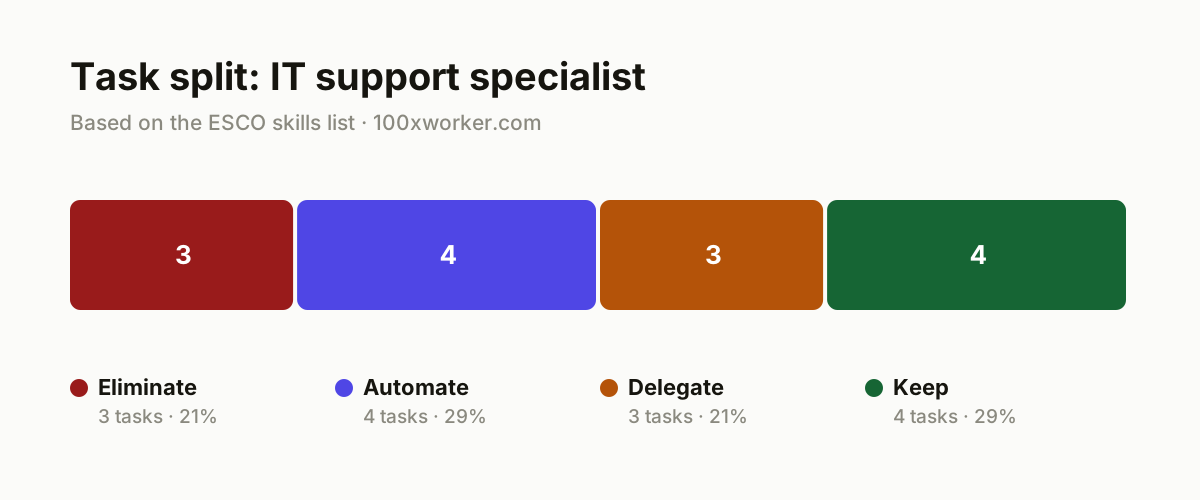
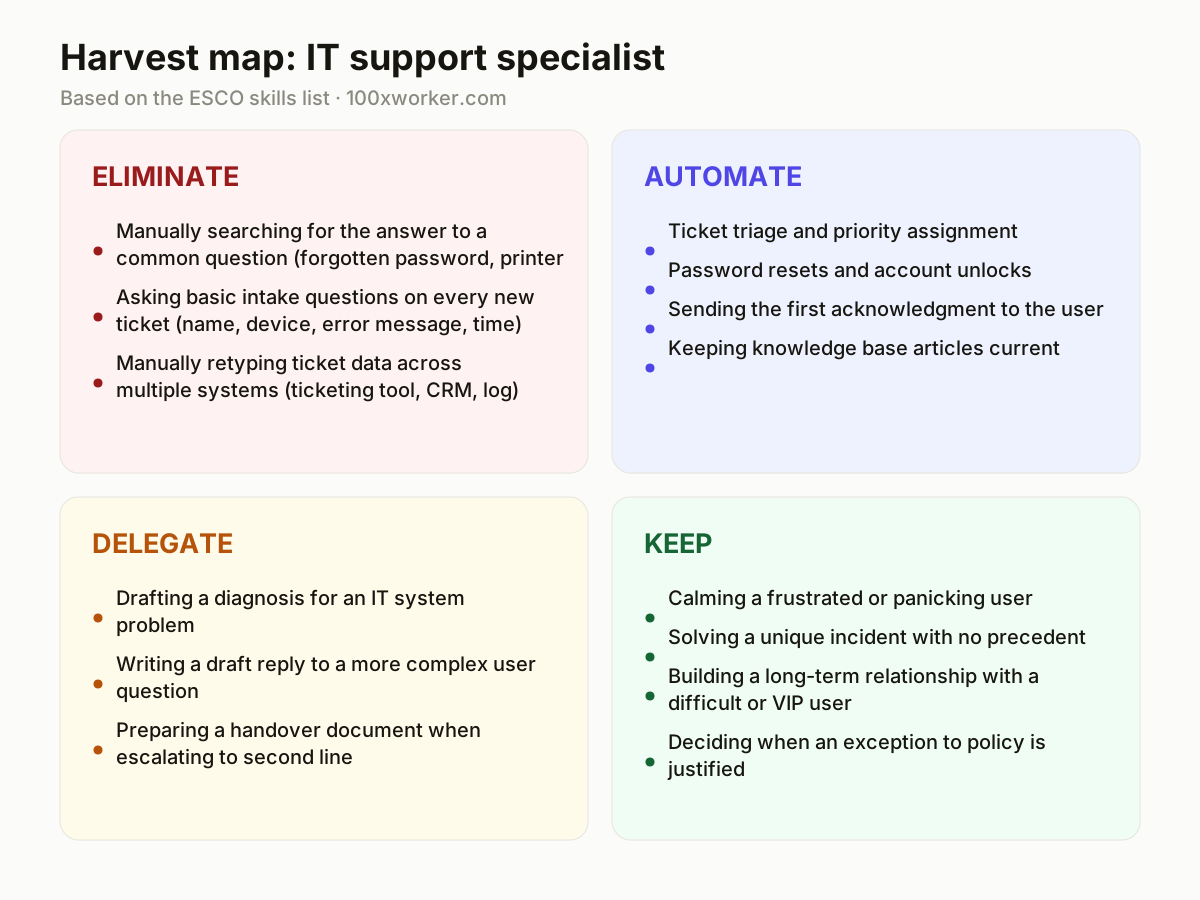
Not every task on a help desk shifts the same way. Some disappear entirely once self-service and system integrations catch up (eliminate). Some get handled start to finish by AI with no agent involved (automate). Some get a first pass from AI that you check and finish (delegate). And some stay squarely with a person because they need judgment, empathy, or improvisation that no model reliably has yet (keep).
| Task | Bucket | Why |
|---|---|---|
| Manually searching for the answer to a common question (forgotten password, printer setup, VPN access) | eliminate | A self-service chatbot gives the user that answer immediately, with no agent involved. |
| Asking basic intake questions on every new ticket (name, device, error message, time) | eliminate | An intake bot already collects this before the ticket reaches you. |
| Manually retyping ticket data across multiple systems (ticketing tool, CRM, log) | eliminate | Connected systems and AI autofill make double entry unnecessary. |
| Ticket triage and priority assignment | automate | AI reads the content, detects urgency and category, and routes it to the right queue or person automatically. |
| Password resets and account unlocks | automate | A self-service agent handles this end to end, including identity verification. |
| Sending the first acknowledgment to the user | automate | AI drafts an acknowledgment the moment a ticket arrives, with no wait time for the user. |
| Keeping knowledge base articles current | automate | AI updates the knowledge base automatically based on tickets that were just resolved. |
| Drafting a diagnosis for an IT system problem | delegate | AI proposes a fix based on similar past tickets, you verify it and carry it out. |
| Writing a draft reply to a more complex user question | delegate | AI produces a first version, you adjust tone and detail before sending. |
| Preparing a handover document when escalating to second line | delegate | AI summarizes the ticket history, you check nothing is missing before forwarding. |
| Calming a frustrated or panicking user | keep | Recognizing emotion and pacing your explanation takes human sensitivity. (Your edge: Empathy and reading someone's emotional state.) |
| Solving a unique incident with no precedent | keep | When no comparable ticket exists, someone has to combine and test creatively. (Your edge: Creative problem-solving in unfamiliar situations.) |
| Building a long-term relationship with a difficult or VIP user | keep | Trust is built through repeated personal contact, not a script. (Your edge: Trust and context built from an ongoing relationship.) |
| Deciding when an exception to policy is justified | keep | That requires weighing risk, user interest, and company rules at the same time. (Your edge: Judgment about context and risk.) |
Will AI replace IT support specialists?
Not wholesale. Microsoft Research puts generative AI applicability at 33.4% of work activities in this role, meaning roughly two-thirds of the job still needs a person for now. The role does not disappear, but its content changes: fewer repetitive resets and lookups, more diagnosis of edge cases, escalation judgment, and handling upset users. Older automation studies like Frey and Osborne (2013) predate large language models and describe a different kind of risk. Treat this job as one that gets restructured task by task, not erased.
Which help desk tasks can AI already handle?
AI already handles the repetitive front end of support work: answering FAQ-style questions, resetting passwords, unlocking accounts, sending acknowledgments, and triaging tickets by urgency and category. Anthropic's Economic Index shows this kind of work splits between full automation (AI completes the task alone) and augmentation (AI assists a human who finishes it). On a help desk, resets and triage lean toward automation, while diagnosing an unfamiliar system issue leans toward augmentation, where AI drafts a hypothesis and you confirm it.
How do you become the go-to AI person on your support team?
Start by using an AI assistant on every ticket that is not a straight password reset: ask it to summarize the ticket history, suggest a diagnosis from similar past cases, or draft a reply you then edit. Track which prompts and templates consistently save time and share them with your team. Volunteer to maintain the AI-generated knowledge base entries, since someone has to check they stay accurate. Being fluent with the tool, not just tolerant of it, is what separates the person managers keep on the team.
What can you do this month to start working with AI?
Pick your three most repeated ticket types and write a reusable prompt for each: one for drafting a diagnosis, one for a first-reply draft, one for a handover summary. Test your current ticketing tool's built-in AI features (most major platforms now have some) and turn on the ones that fit your workflow. Ask your manager whether ticket triage can be automated, and volunteer to be the person who checks the AI's routing decisions for the first few weeks. Small, repeatable wins beat waiting for a company-wide rollout.
Applicability differs sharply by occupation: translators show the highest generative AI applicability score at 49 percent, nurses the lowest at 12 percent.
Microsoft Research, Working with AI: Measuring the Applicability of Generative AI to Occupations (2025)
Become the AI person on your team
Build a personal prompt library
Save the prompts that actually work for diagnosis, drafting, and summarizing in a shared doc. Update it whenever you find a better phrasing, and get colleagues to contribute theirs too.
Audit the knowledge base weekly
AI-generated knowledge base articles drift out of date fast. Spend 20 minutes a week checking the newest AI-added entries against what actually happened on recent tickets.
Own the escalation quality check
When AI drafts a handover summary for second-line escalation, review it for missing steps before it goes out. This makes you the quality gate, which is a role AI cannot fill on its own.
Want this for your actual task list?
The free scan on the homepage builds your personal task map in 30 seconds, based on your role and industry.
Run the free task scanTools for this work
| Tool | For which tasks | The sober take |
|---|---|---|
| Microsoft Copilot | Drafting replies, summarizing ticket threads, first-pass diagnosis suggestions | Directly reflects the 33.4% applicability score, since Microsoft's own study was built on Copilot usage data. |
| Zendesk AI | Ticket triage, automated first replies, knowledge base suggestions | Built into a ticketing platform many help desks already use. |
| ServiceNow Now Assist | Ticket routing, incident summarization, handover documents | Aimed at larger IT service management environments. |
| Claude or ChatGPT | Drafting complex replies, brainstorming fixes for unique incidents | General-purpose, useful when the built-in help desk AI does not cover an edge case. |
Prompts to try today
Draft a diagnosis from ticket history
Turn a resolved ticket into a knowledge base draft
Write a handover summary for escalation
Related jobs
Frequently asked questions
Is the IT support specialist job at high risk from AI?
Not at the level of full replacement. Microsoft Research scores generative AI applicability for this occupation family at 33.4% of work activities, meaning most of the job still involves things AI cannot fully do yet, such as diagnosing unprecedented issues or managing an upset user. The job changes shape more than it disappears.
What is the difference between AI automating and AI augmenting a help desk task?
Automation means AI completes the task without a person, like a self-service bot resetting a password. Augmentation means AI helps a person do the task faster, like drafting a reply that an agent then edits. Anthropic's Economic Index tracks both patterns across occupations, and help desk work contains a mix of each.
Should I list AI tool skills on my IT support resume?
Yes. Experience using AI for ticket triage, drafting replies, or maintaining a knowledge base is a concrete, checkable skill. Frame it around specific tools and outcomes, such as faster first-response times or fewer duplicate tickets, rather than a vague claim of being 'AI-savvy'.
Where can I check how AI applicability is measured across other jobs?
Microsoft Research published its full dataset and methodology openly on GitHub under a CC BY 4.0 license, covering many occupations beyond IT support. The ESCO taxonomy from the European Commission is a useful companion, since it lists standardized skills and tasks for thousands of occupations, including this one, in 28 languages.
Sources
- Microsoft Research, Working with AI: Measuring the Applicability of Generative AI to Occupations (2025)
- Anthropic Economic Index
- Eurostat, isoc_ai_iaiu
- ESCO, European Commission
Hendrik De Winne, author of Becoming AI-Savvy, founder of VibeLab. Helps teams redesign their work with AI.
This article was drafted with AI assistance from public data sources and editorially reviewed.