100×worker · job analysis
What AI Changes for Account Managers

Across Europe, generative AI has moved from a novelty to a daily work tool. Eurostat reports that 32.7% of the EU population aged 16 to 74 used generative AI in the three months before being surveyed in 2025. For account managers selling ICT products and services, that shift shows up first in the parts of the job that involve writing, searching, and reporting.
Microsoft Research analyzed 200,000 real Copilot conversations and scored how applicable generative AI is to different occupations. For the closest US category, sales representatives of technical and scientific products, the applicability score is 31.3%, meaning close to a third of daily work activities show clear overlap with what generative AI already does well. That sits below translators (49%) and well above nurses (12%), placing account managers in the middle: a real share of the job changes, but not the whole job.
The European Commission's ESCO taxonomy lists this role as ICT account manager (code 2434.1) and names skills such as customer relationship management, sales reporting, needs analysis, and contract management as core to it. Those same skills sort neatly into what AI can remove, automate, delegate, or never touch. That is the framework this article uses.
An account manager manages ICT client relationships and sales, while AI takes over admin and analysis.
The task split: what AI takes over and what stays yours
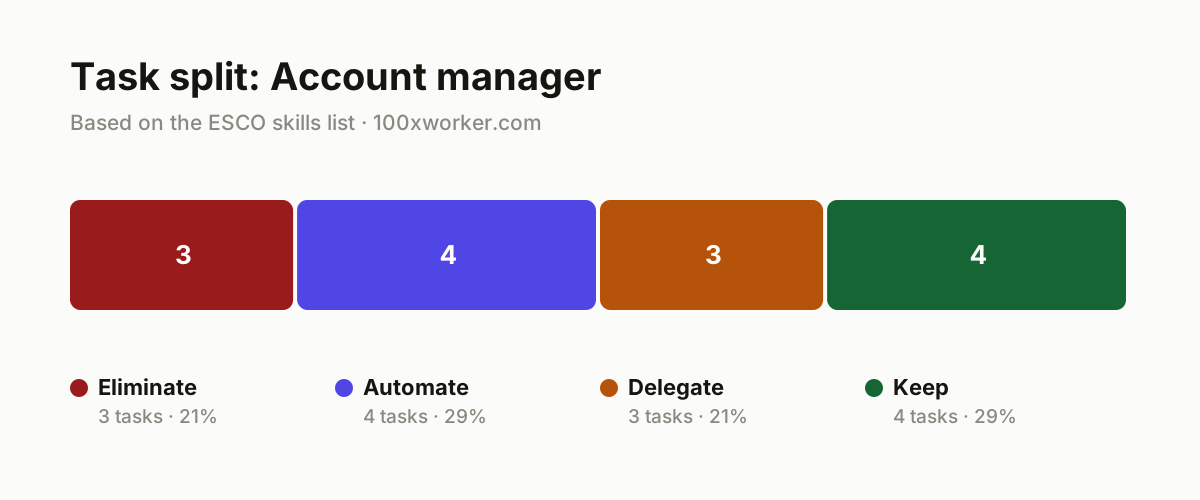
Not every task in an account manager's job changes the same way. Some tasks disappear because a smarter workflow makes them pointless. Others get automated end to end by an agent or a script. Some tasks are worth drafting with AI first and finishing yourself. And a few tasks stay entirely human, because they depend on trust, negotiation, or judgment that AI cannot supply. Sorting the ICT account manager's task list into these four buckets, eliminate, automate, delegate, and keep, shows where your time should actually go.
| Task | Bucket | Why |
|---|---|---|
| Compiling sales reports by hand from scattered notes and spreadsheets | eliminate | An agent pulls this straight from the CRM and call notes; manual retyping serves no purpose. |
| Manually tracking sales figures and pipeline data in Excel alongside the CRM | eliminate | Duplicate data entry disappears once the CRM and reporting tool sync automatically. |
| Looking up and summarizing product information from scratch for every client question | eliminate | A searchable knowledge base with an AI assistant answers faster than manual lookup. |
| Updating the CRM after every client call: notes, next steps, tasks | automate | Transcription and CRM agents fill this in automatically from the meeting or call. |
| Sending follow-up emails after a call or demo | automate | An agent drafts the email from the call notes, ready to send. |
| Producing periodic sales and pipeline reports for management | automate | Dashboards and agents pull these numbers from the CRM automatically, week after week. |
| Segmenting leads and accounts by revenue potential and behavior | automate | AI handles data analysis at scale faster and more consistently than manual segmentation. |
| Drafting a first account strategy per client, based on history and needs analysis | delegate | AI produces a strong first draft; you check it against the relationship and context. |
| Drafting quotes and sales pitches tailored to the client | delegate | AI generates the first text; you adjust tone and negotiating room. |
| Scanning the market for new business opportunities and prospects | delegate | AI searches sources and signals faster; you decide which lead is worth pursuing. |
| Building and maintaining the client relationship | keep | Trust grows in real conversations, not in generated text. (Your edge: Personal contact stays the core of the job.) |
| Negotiating price and contract terms | keep | Negotiation requires reading the other side, live and in the moment. (Your edge: A feel for the room cannot be automated.) |
| Managing client satisfaction during escalations and complaints | keep | An unhappy client wants a person on the line, not a chatbot. (Your edge: Empathy in a difficult conversation stays human work.) |
| Deciding which accounts get strategic priority | keep | This call weighs business risk, relationship, and long-term value against each other. (Your edge: Final responsibility for priorities stays with the account manager.) |
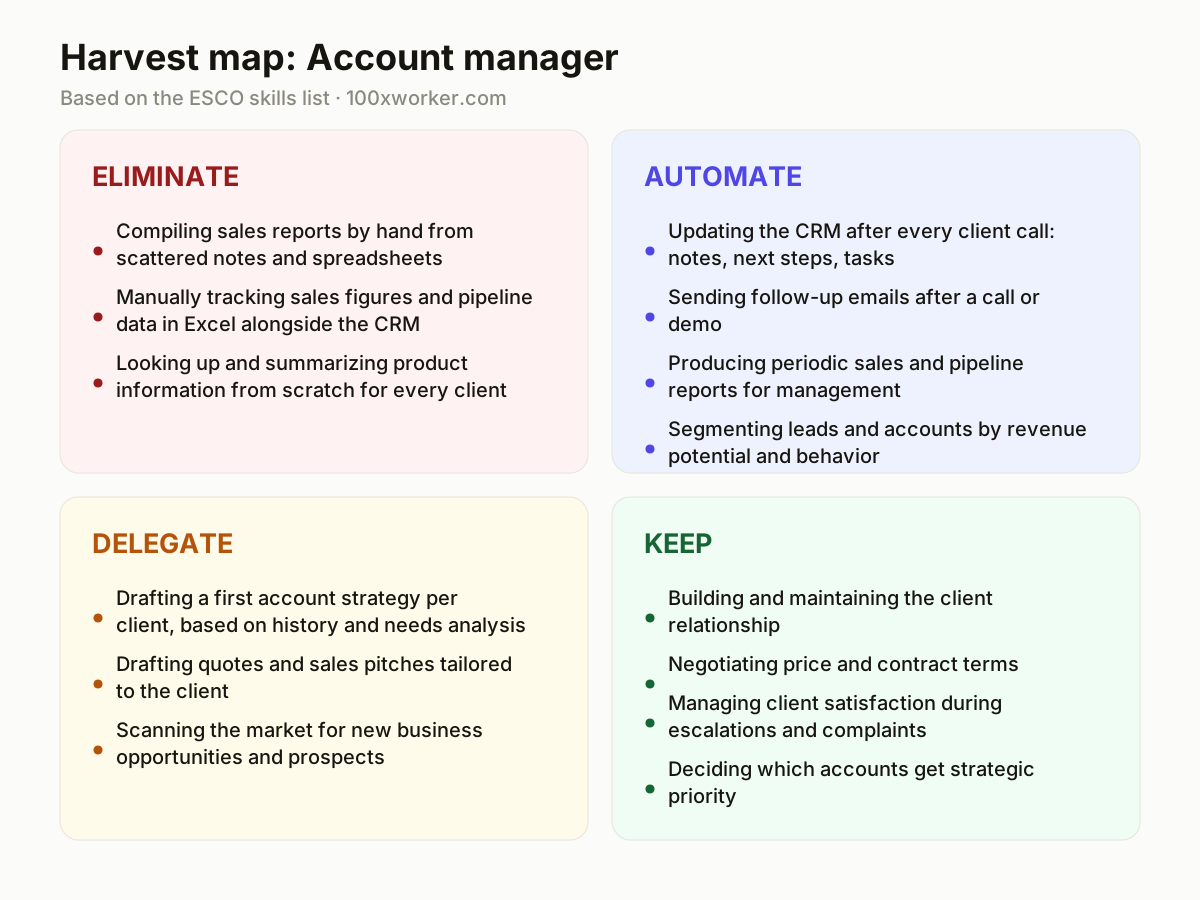
What tasks does AI take over from account managers?
AI takes over the repetitive, pattern-based parts of the job: writing up call notes, updating the CRM, drafting follow-up emails, and pulling together pipeline reports. These tasks map onto what Microsoft Research calls high applicability, work where large language models already match or beat manual effort. For ICT account managers, that means less time retyping meeting notes into a CRM and less time building the same weekly report from scratch. The work that survives is judgment-heavy: deciding which lead matters, how to frame a negotiation, and when a client relationship needs a phone call instead of an email.
Will AI replace account managers?
AI is unlikely to replace the account manager role, because the job centers on trust, negotiation, and judgment calls that generative AI cannot make. Microsoft Research scores the closest US sales category at 31.3% applicability, meaning roughly a third of daily tasks overlap with what generative AI does well, while two-thirds do not. That figure sits between high-applicability roles like translation (49%) and low-applicability roles like nursing (12%). The realistic outcome is a smaller task list, not a smaller headcount: less report writing and CRM admin, more time for the client conversations and pricing decisions that actually close deals.
How do you become the AI power user on your sales team?
Start by mapping your own task list against the four buckets: eliminate, automate, delegate, keep. Pick one recurring task, like post-call CRM updates or follow-up emails, and set up an agent or workflow for it this week. Test AI-drafted account strategies against your actual client knowledge before presenting them internally, and share what works with colleagues. Being the AI power user on a sales team usually means being the person who tests tools first, documents what breaks, and shows others a working prompt or workflow instead of a theory.
What can you automate this month as an account manager?
Three things are realistic within a month: connect your CRM to a transcription tool so call notes and next steps fill in automatically, set up a template-based follow-up email that an AI agent drafts right after each meeting, and build one dashboard that pulls weekly pipeline numbers directly from the CRM instead of a manual spreadsheet. None of these require custom software. Most CRMs already ship AI features covering call summarization and email drafting; the main work is turning them on and setting the right templates.
AI use splits into automation-like and augmentation-like patterns across occupations, not a single switch that turns a job on or off.
Anthropic Economic Index
Become the AI person on your team
Automate the CRM update loop first
Turn on call transcription and let an agent draft the CRM notes and next steps. Review and send within minutes instead of writing from scratch after every call.
Draft with AI, close with judgment
Let AI produce the first version of an account strategy or proposal. Spend your saved time on the negotiation and the relationship, where a person still has to be present.
Show, don't tell, your team
Share one working prompt or automated workflow with colleagues instead of explaining AI in the abstract. A visible before-and-after on a follow-up email convinces faster than a slide deck.
Want this for your actual task list?
The free scan on the homepage builds your personal task map in 30 seconds, based on your role and industry.
Run the free task scanTools for this work
| Tool | For which tasks | The sober take |
|---|---|---|
| Microsoft Copilot | CRM updates, meeting notes, follow-up email drafts (automate, delegate) | Built into Microsoft 365 and Dynamics, so it works inside tools many ICT sales teams already use. |
| Salesforce Einstein / HubSpot AI | CRM automation, lead scoring, pipeline reporting (eliminate, automate) | Native CRM AI features cut manual data entry, but need clean CRM data to work well. |
| Claude or ChatGPT | Drafting account strategies, proposals, and market research summaries (delegate) | Good for a fast first draft; final tone and pricing judgment stay with you. |
| Call recording and transcription tools (e.g. Gong, Chorus) | Automatic call notes and CRM updates (automate) | These turn a recorded call directly into CRM-ready text, cutting admin time. |
Prompts to try today
First-draft account strategy
Follow-up email after a demo
Weekly pipeline summary
Related jobs
Frequently asked questions
Will AI take over my job as an ICT account manager?
AI is unlikely to replace the role entirely. Microsoft Research puts the applicability score for the closest US sales category at 31.3%, meaning about a third of daily tasks overlap with what generative AI handles well. The rest, relationship building, negotiation, prioritization, still needs a person. Expect your task list to shrink in the administrative parts (reports, CRM updates, follow-ups) and stay intact in the parts that involve trust and judgment calls with a client.
What percentage of account managers already use generative AI at work?
There is no exact figure for account managers specifically, but surrounding numbers show fast adoption. Eurostat found that 32.7% of the EU population aged 16-74 used generative AI in the last three months of 2025, and a Google/Ipsos survey found 61% of Belgians had used an AI chatbot that same year. Sales roles built around writing and reporting tend to adopt these tools earlier than average, since email drafting and summarization are among the most common generative AI use cases.
Which AI skills should an account manager learn first?
Start with prompt writing for two recurring tasks: drafting follow-up emails and summarizing call notes into CRM entries. Add basic CRM automation setup, such as connecting a transcription tool to your CRM, as a second skill. You do not need to learn to code. The useful skill is knowing which draft to trust, which one to rewrite, and which client situation needs a human response with no AI involved at all.
How is this different from older automation predictions for sales jobs?
Older studies, like Frey and Osborne's 2013 Oxford analysis, estimated whole-job automation risk before large language models existed and before anyone had real usage data. Newer sources, such as Microsoft Research's Copilot conversation analysis and Anthropic's Economic Index, look at actual AI use broken down by task rather than by job title. That task-level view is why account management shows up as partially affected rather than at risk of disappearing altogether.
Sources
- Microsoft Research, Working with AI: Measuring the Applicability of Generative AI to Occupations (2025)
- Anthropic Economic Index
- Eurostat, isoc_ai_iaiu (generative AI use, 2025)
- ESCO, European Commission occupation taxonomy
Hendrik De Winne, author of Becoming AI-Savvy, founder of VibeLab. Helps teams redesign their work with AI.
This article was drafted with AI assistance from public data sources and editorially reviewed.