100×worker · job analysis
Will AI Replace Interior Designers, and What Should You Do About It?
Interior design is not on the list of jobs generative AI is reshaping fastest. Microsoft Research analyzed 200,000 real Copilot conversations across occupations and found AI applicable to roughly 20.7% of work activities for interior designers, well below translators at 49% and closer to the lower end of the scale, though still above nurses at 12%. That gap matters. It tells you where AI genuinely helps and where it does not.
Anthropic's Economic Index, which classifies millions of Claude conversations against O*NET task categories, finds that AI use across occupations splits into two patterns: automation-like use, where the model does the task outright, and augmentation-like use, where a person stays in the loop and steers the output. Interior design work tends to fall into the second pattern for anything involving taste, client trust, or a physical room.
This article breaks the job down the same way the European Commission's ESCO taxonomy breaks down skills across 3,039 occupations: at the task level, not the job level. Some tasks disappear. Some get automated end to end. Some get delegated to AI with a human check. Some stay entirely human. The rest of this piece walks through each category for interior designers specifically.
An interior designer plans and draws interior spaces; AI mainly takes over drafting, exports, and trend research.
The task split: what AI takes over and what stays yours
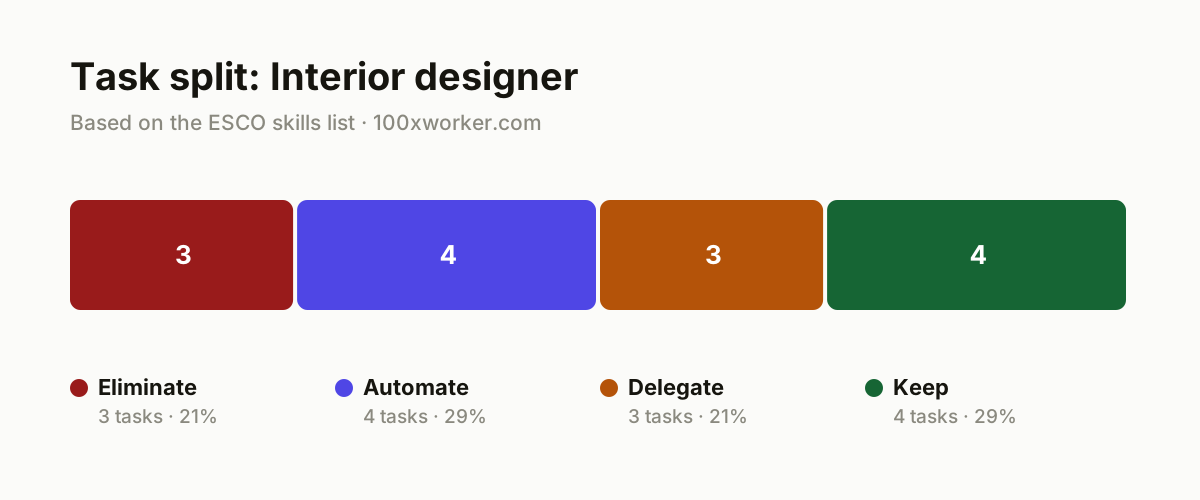
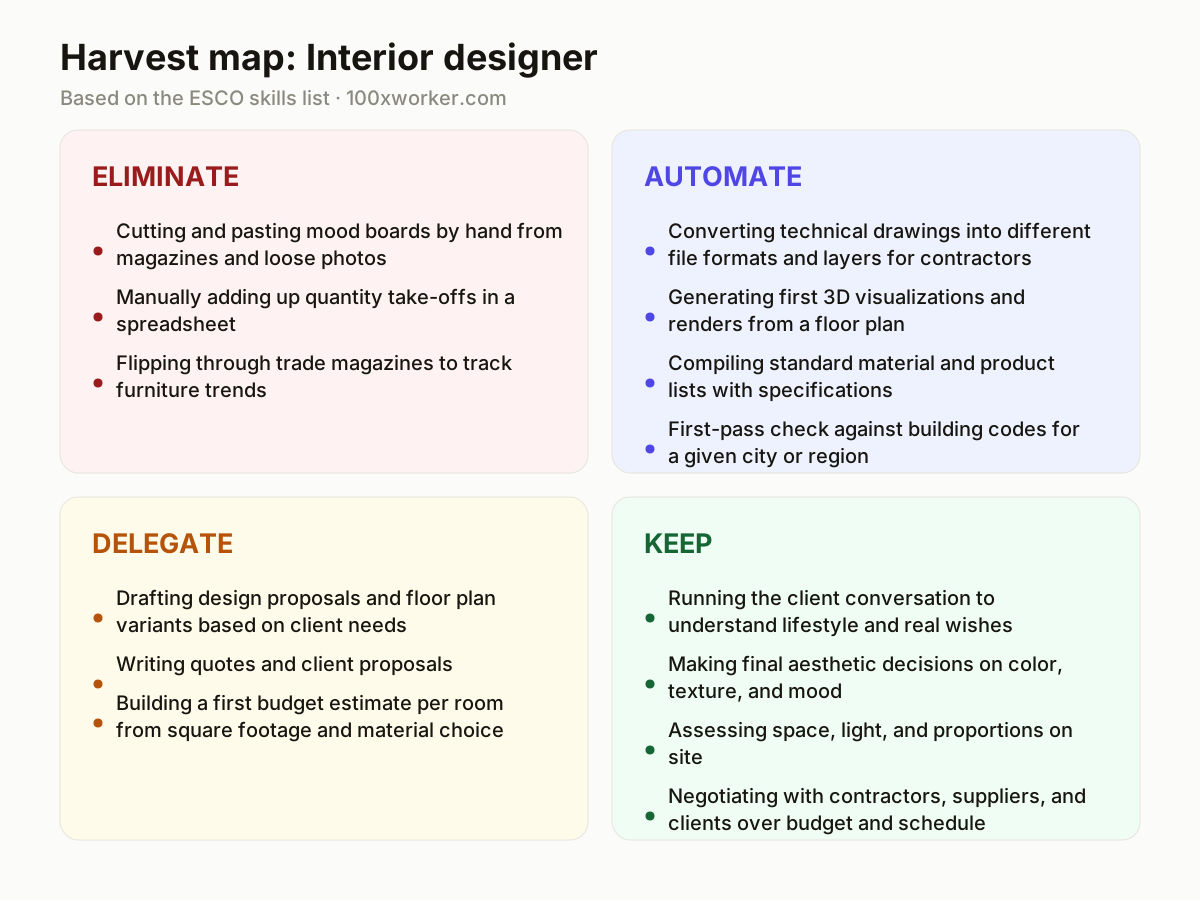
Not every task in an interior design job changes the same way. Some tasks simply disappear because AI makes the old manual method pointless. Some get automated fully, meaning AI produces a finished output with little review needed. Some get delegated, meaning AI drafts a first version that you then correct and own. And some tasks stay entirely with you because they depend on physical presence, taste, or trust that no model has access to. The four categories below map the interior designer's task list against that framework.
| Task | Bucket | Why |
|---|---|---|
| Cutting and pasting mood boards by hand from magazines and loose photos | eliminate | A language model builds a moodboard from keywords and reference images in seconds, faster than flipping through magazines. |
| Manually adding up quantity take-offs in a spreadsheet | eliminate | Design software links drawing layers to material lists automatically, so manual counting adds nothing. |
| Flipping through trade magazines to track furniture trends | eliminate | AI scans thousands of sources at once and filters faster than a subscription to three trade magazines. |
| Converting technical drawings into different file formats and layers for contractors | automate | An agent exports floor plans production-ready to DWG, PDF, and presentation formats without manual steps. |
| Generating first 3D visualizations and renders from a floor plan | automate | Render agents produce photorealistic images based on material choice and light, ready for a client presentation. |
| Compiling standard material and product lists with specifications | automate | AI fills in references, dimensions, and supplier data automatically from existing catalogs. |
| First-pass check against building codes for a given city or region | automate | An agent screens the design against basic fire safety and accessibility rules, ready for human review. |
| Drafting design proposals and floor plan variants based on client needs | delegate | AI generates multiple layouts, you choose, refine, and justify the choice to the client. |
| Writing quotes and client proposals | delegate | The model turns meeting notes and scope into a readable proposal, you check tone and price. |
| Building a first budget estimate per room from square footage and material choice | delegate | AI runs a quick first estimate, you correct it with knowledge of local contractor pricing. |
| Running the client conversation to understand lifestyle and real wishes | keep | Building trust and reading between the lines takes presence, not a prompt. (Your edge: you sense hesitation and unspoken wishes) |
| Making final aesthetic decisions on color, texture, and mood | keep | Taste and artistic judgment stay a human decision, even when AI suggests options. (Your edge: your aesthetic judgment gives the design a signature) |
| Assessing space, light, and proportions on site | keep | An agent has no sense of a draft, a smell, or how afternoon light actually falls in a room. (Your edge: physical presence stays irreplaceable for spatial sense) |
| Negotiating with contractors, suppliers, and clients over budget and schedule | keep | Relationships and trust are built through conversation and shared history. (Your edge: you hold the relationship and the final word) |
Which interior designer tasks does AI take over?
AI takes over the repetitive, format-heavy parts of the job first. That means mood boards, file conversions between drawing formats, first-draft renders, quantity take-offs, and product spec lists. These are tasks where the input is structured (a floor plan, a set of keywords, a catalog) and the output can be checked quickly. Trend scanning also shifts to AI, since a model can search far more sources than a subscription to a handful of trade magazines. What AI does not take over is anything requiring a physical read of a room or a judgment call about taste. Those stay with the designer.
Will AI replace interior designers?
No. Microsoft Research measured generative AI as applicable to about 20.7% of interior designer work activities, a moderate score compared to translators at 49% and nurses at 12%. That number describes which tasks AI can touch, not whether the job disappears. The shift happens at the task level: drafting, exporting, and first-draft rendering move to AI, while client relationships, spatial judgment on site, and final aesthetic calls stay human. Firms that redesign their workflow around this split will need fewer hours per project, not fewer designers with judgment and a portfolio of trust.
How do you become the AI-savvy person at your design firm?
Start by owning one workflow completely: the render pipeline, the moodboard process, or the proposal template. Get good enough with one AI rendering tool or one chatbot that you can produce a client-ready output faster than anyone else in the office, then document the steps so colleagues can copy them. Being the person who sets the firm's AI standards, rather than the person who quietly uses AI on the side, is what makes the skill visible and valuable in a small studio or a larger practice.
What can you do this month as an interior designer?
Pick one recurring task from the automate or delegate bucket, such as first-draft renders or client proposals, and run it through an AI tool on your next three projects. Time yourself before and after. Keep a short log of what the model got wrong (wrong scale, wrong material texture, wrong tone) so you know exactly where your review has to focus. Do not try to change your whole process at once. One task, three projects, a clear before-and-after comparison, is enough to know whether a tool earns a permanent place in your workflow.
AI use across occupations splits into automation-like use, where the model does the task, and augmentation-like use, where a person stays in the loop.
Anthropic Economic Index (2025)
Become the AI person on your team
Build the firm's render pipeline
Pick one AI rendering tool that plugs into your existing drawing software and run every new project's first visualization through it. Set a house style (lighting, angle, material presets) so renders come out consistent across the team, not just fast.
Set up a trend and moodboard routine
Replace the magazine stack with a weekly AI-generated trend summary and a moodboard template you reuse per client brief. Keep a short prompt library so junior staff can produce a usable first draft without starting from a blank page.
Template the proposal and quote process
Turn your best past proposal into a prompt template that takes meeting notes and scope as input and returns a structured draft. You still set the price and the final wording, but the blank-page time drops to almost nothing.
Want this for your actual task list?
The free scan on the homepage builds your personal task map in 30 seconds, based on your role and industry.
Run the free task scanTools for this work
| Tool | For which tasks | The sober take |
|---|---|---|
| ChatGPT or Claude | moodboards, client proposals, quotes, trend summaries | Good for drafting text and structuring options, not for final design or price decisions. |
| Midjourney or Adobe Firefly | early visual concepts, mood board imagery | Useful for inspiration boards, not for technically accurate room renders. |
| AI rendering plugins (Veras, D5 Render, Enscape) | first-pass 3D visualizations and renders from a floor plan | Plug into SketchUp or Revit and cut render time from hours to minutes. |
| Autodesk Forma | first-pass building code and site checks | Screens a design against basic rules; a licensed check still comes after. |
Prompts to try today
Moodboard from a client brief
Draft a client proposal
First-pass building code check
Related jobs
Frequently asked questions
Do interior designers need to learn to code to use AI?
No. Most of the AI tools relevant to interior design work through chat interfaces or plugins inside software you already use, such as SketchUp, Revit, or Adobe products. Writing a good prompt matters more than any programming skill. The learning curve is closer to learning a new piece of design software than learning to code.
Which AI tool should an interior designer start with?
Start with a general chatbot like ChatGPT or Claude for text tasks (proposals, trend research, client emails), then add one rendering-specific tool, such as an AI plugin for your existing drawing software, once you're comfortable with prompting. Adding both at once tends to slow you down rather than speed you up.
How much of an interior designer's work will AI actually change?
Microsoft Research measured AI as applicable to about 20.7% of interior designer work activities, based on real Copilot conversation data. That is a moderate share compared to occupations like translation (49%) but higher than nursing (12%). It points to specific tasks (drafting, rendering, list-building) rather than the whole job.
Can AI-generated quantity take-offs replace a manual check entirely?
Not yet, in practice. AI-linked take-offs pull numbers reliably from drawing layers, which removes the tedious counting step. But a final human check before ordering materials or quoting a client is still standard practice, since layer errors or missing elements in the source drawing can carry through into the AI-generated list.
Sources
- Microsoft Research, Working with AI: Measuring the Applicability of Generative AI to Occupations (2025)
- Anthropic Economic Index
- ESCO (European Commission occupation and skills taxonomy)
- Eurostat, Individuals' use of generative AI (isoc_ai_iaiu)
Hendrik De Winne, author of Becoming AI-Savvy, founder of VibeLab. Helps teams redesign their work with AI.
This article was drafted with AI assistance from public data sources and editorially reviewed.