100×worker · job analysis
Will AI Replace Customer Success Managers, and What Should You Do About It?
Customer success management sits squarely inside the wave of generative AI adoption moving through client-facing work. Microsoft Research analyzed 200,000 real Copilot conversations across occupations and built an AI applicability score for each one, published in the 2025 paper Working with AI: Measuring the Applicability of Generative AI to Occupations. There is no separate public score for customer success manager specifically, but the study places client-facing, data-heavy roles high on the list of jobs where generative AI already handles a meaningful share of daily work.
Adoption numbers back this up. Across the EU, 32.7% of people aged 16 to 74 used generative AI in the three months before being surveyed in 2025, according to Eurostat. In customer-facing teams, the shift is visible in the tools themselves: manual dashboards are being replaced by systems that draft, tag, and summarize on their own.
This article breaks the job down by task, using the same four-bucket approach used across 100xworker.com: what disappears (eliminate), what runs on near-autopilot with a human check (automate), what you hand to AI first and then edit (delegate), and what stays firmly in human hands (keep).
A customer success manager manages the full client relationship to protect satisfaction, retention, and revenue.
The task split: what AI takes over and what stays yours
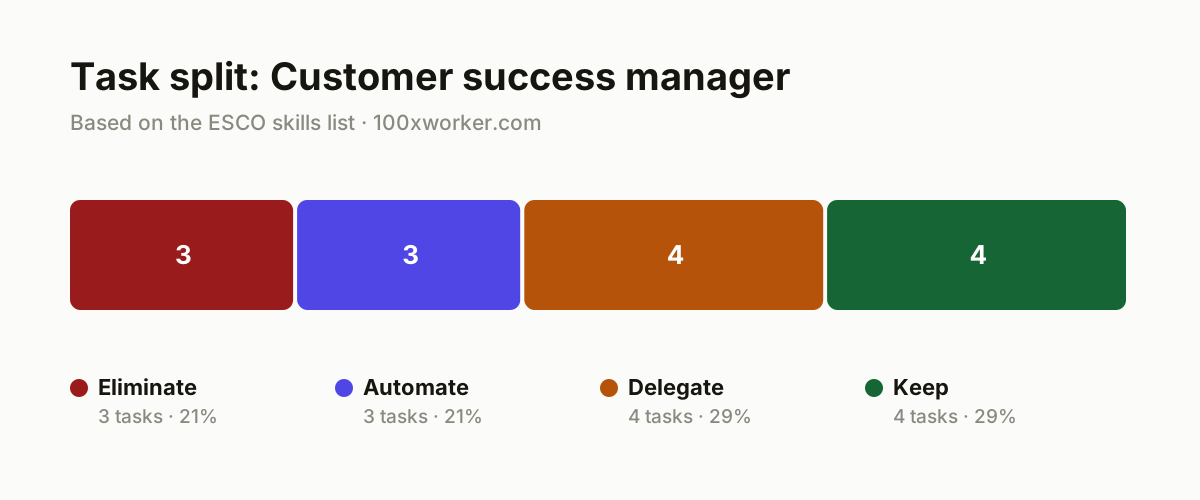
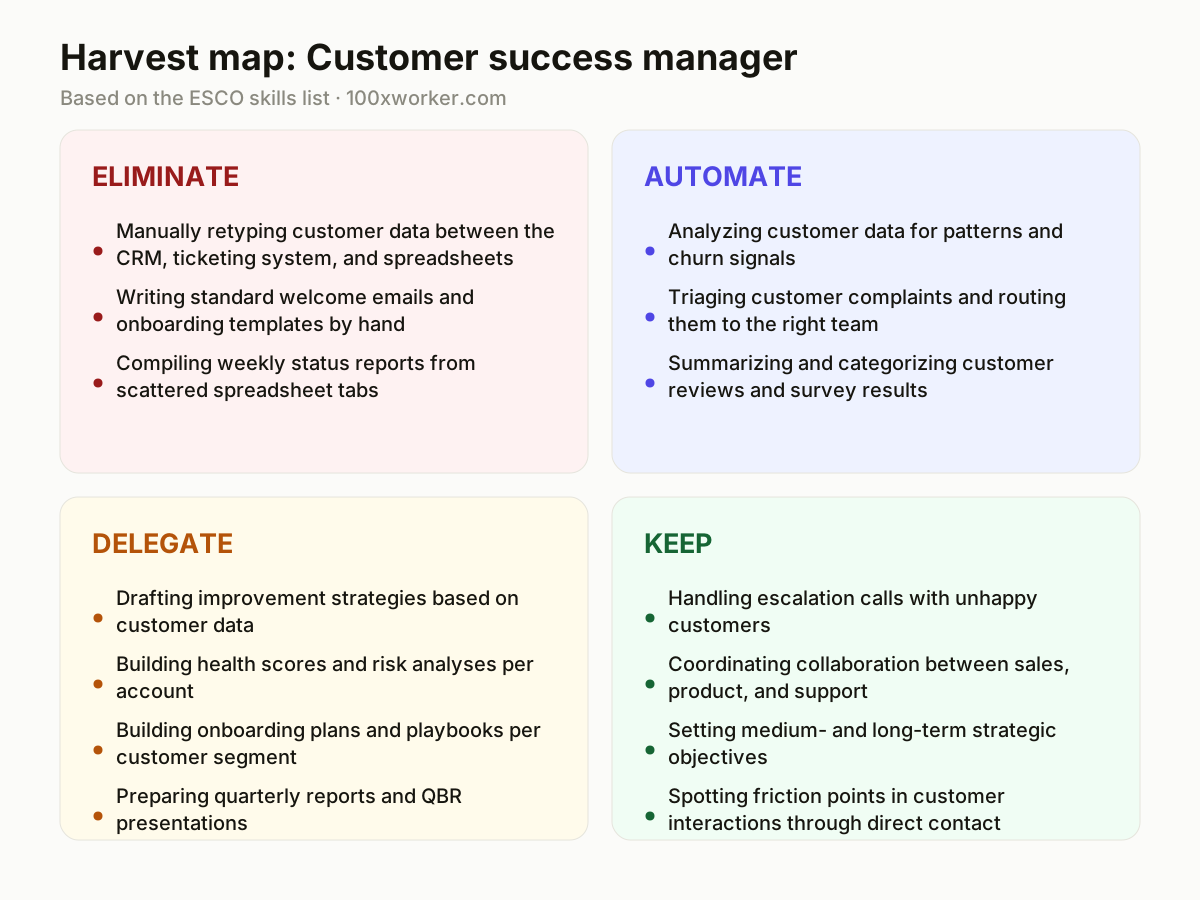
The ESCO taxonomy lists roughly eighteen core skills for this role, from handling complaints to analyzing customer data to coordinating across departments. Not all of these skills carry the same amount of routine, repeatable work. Sorting the job into eliminate, automate, delegate, and keep shows which tasks a tool now does end to end, which ones AI drafts while you review, and which ones still need a person in the room.
| Task | Bucket | Why |
|---|---|---|
| Manually retyping customer data between the CRM, ticketing system, and spreadsheets | eliminate | Integrations and AI agents now sync data automatically, without error-prone copy-pasting. |
| Writing standard welcome emails and onboarding templates by hand | eliminate | Generative AI drafts personalized copy directly from the customer profile and segment. |
| Compiling weekly status reports from scattered spreadsheet tabs | eliminate | Dashboards pull the numbers together automatically, every morning, without manual copying. |
| Analyzing customer data for patterns and churn signals | automate | AI spots unusual behavior faster and more consistently than a manual data scan. |
| Triaging customer complaints and routing them to the right team | automate | Language models read intent and urgency, and route tickets without a queue. |
| Summarizing and categorizing customer reviews and survey results | automate | AI clusters thousands of responses into themes faster than a team of analysts could. |
| Drafting improvement strategies based on customer data | delegate | AI produces a grounded first draft, you check it against business context and budget. |
| Building health scores and risk analyses per account | delegate | AI calculates scores from usage data, you decide what action follows. |
| Building onboarding plans and playbooks per customer segment | delegate | AI generates a first version per segment, you refine it using real experience. |
| Preparing quarterly reports and QBR presentations | delegate | AI fills in the slides with numbers and trends, you decide the message. |
| Handling escalation calls with unhappy customers | keep | An angry customer wants acknowledgment and a human voice on the other end. (Your edge: reading emotion, calming tension, and rebuilding trust in real time) |
| Coordinating collaboration between sales, product, and support | keep | Weighing internal politics and priorities takes conversation, not automation. (Your edge: sensing who holds leverage in each conversation) |
| Setting medium- and long-term strategic objectives | keep | Business priorities and budget choices require judgment that looks beyond the data. (Your edge: sensing organizational context and timing) |
| Spotting friction points in customer interactions through direct contact | keep | Intuition in a live conversation catches tension that no survey captures. (Your edge: reading tone and body language in the moment) |
Will AI replace customer success managers?
No public, occupation-specific AI applicability score exists for this exact role, but Microsoft Research's study of 200,000 Copilot conversations puts client-facing, data-heavy jobs high on the list of occupations where generative AI already handles real work. Customer success fits that pattern: much of the job is data analysis, written communication, and status reporting, tasks language models handle well. The role itself does not disappear. Escalations, internal negotiation, and long-term account strategy still need a person. What changes is the mix: less manual reporting and templating, more time spent on judgment calls and relationships.
Which customer success manager tasks will disappear first because of AI?
The first to go are tasks with a clear, repeatable pattern: retyping data between systems, writing routine onboarding emails, and assembling weekly reports from spreadsheets. Anthropic's Economic Index, which classifies millions of Claude conversations against O*NET tasks, splits AI use into automation-like use (AI does the task end to end) and augmentation-like use (AI assists, a human decides). Data entry and templated writing sit in the first group. Complaint triage and survey analysis are moving there too, since AI can read intent and cluster feedback into themes quickly, though someone still checks the output before it reaches a client or an executive.
How do you become the AI point person on your customer success team?
Start by mapping your own task list against the four buckets: eliminate, automate, delegate, keep. Pick one recurring task, such as QBR prep or health-score calculation, and build a repeatable AI workflow for it before anyone asks you to. Document the prompt, the data source, and the review step, then share that workflow with your team. Being the AI point person means testing the tool on real client data yourself, finding where it breaks, and building a checklist around it before anyone else has to figure that out.
What can you do this month to start using AI concretely?
Pick three tasks from your own week: one from eliminate, one from automate, one from delegate. Automate the report or template task with a tool you already have access to, such as your CRM's built-in AI features or a general assistant. Run one client health-score summary or QBR draft through AI and compare it against your usual manual version. Keep a short log of what worked and what needed correction. After four weeks you will have a real workflow instead of a vague plan, and evidence to show your manager what AI actually changes in your role.
ESCO describes 3,039 occupations and their required skills across 28 languages, making task-level analysis possible for almost any job in the EU.
European Commission, ESCO
Become the AI person on your team
Build one end-to-end AI workflow before you're asked
Pick a recurring task, like weekly reporting or onboarding emails, and set up a working AI process for it. Test it on real, anonymized data, not a demo. Bring the finished workflow to your next team meeting instead of just an idea.
Own the data quality behind the AI
AI output is only as good as the CRM fields feeding it. Clean up your customer data, tag fields consistently, and flag gaps to whoever owns the CRM system. This makes you the person who makes AI actually usable for the whole team.
Translate AI output into client language
AI drafts health scores, QBR slides, and improvement plans well, but the tone and framing for a specific client still need a human check. Become the person who reviews AI drafts for nuance before they go out.
Track what AI gets wrong
Keep a running list of AI mistakes on your tasks, like a wrong churn signal or a tone-deaf email draft. Share this with your team and whoever manages your AI tools. This feedback is what actually improves the workflow over time.
Want this for your actual task list?
The free scan on the homepage builds your personal task map in 30 seconds, based on your role and industry.
Run the free task scanTools for this work
| Tool | For which tasks | The sober take |
|---|---|---|
| Zendesk AI | complaint triage and ticket routing (automate) | Sorts incoming tickets by intent, but edge cases still need a human check. |
| Gainsight | health scores and risk analysis per account (delegate) | Generates account risk scores from usage data, you still decide what action follows. |
| HubSpot AI (Breeze) | onboarding emails and CRM data sync (eliminate) | Handles templated writing and data-sync tasks that used to be manual copy-paste. |
| ChatGPT or Claude (general assistant) | QBR drafts and survey summaries (automate/delegate) | Good for first-draft summaries and slide content, weaker on client-specific nuance. |
| Notion AI | onboarding playbooks per segment (delegate) | Drafts segment-based playbooks quickly, still needs your editing pass before use. |
Prompts to try today
QBR draft
Churn risk scan
Survey theme summary
Related jobs
Frequently asked questions
Will AI take over the customer success manager role entirely?
No single study says the role disappears. Microsoft Research's analysis of 200,000 Copilot conversations shows AI handling real work inside many client-facing jobs, but escalation handling, cross-team negotiation, and long-term account strategy stay with a person. The task mix shifts toward less manual reporting and more judgment work, rather than the job vanishing.
What percentage of customer success tasks can AI already do?
There is no public, occupation-specific score for this exact role. What is verified is that AI adoption is rising fast across the workforce: 32.7% of the EU population aged 16-74 used generative AI in the three months before being surveyed in 2025, according to Eurostat. Treat any specific percentage claim for this exact job title with caution until a dedicated study is published.
Do I need to learn to code or become a prompt engineer to keep this job?
No coding is needed. What helps is writing clear, specific prompts for tasks you already do, like drafting a health-score summary or a QBR slide, and checking the output before it goes to a client. Treat it as a writing and review skill, similar to editing a colleague's draft, not a technical skill.
Which customer success tasks should I never fully hand to AI?
Keep escalation conversations, internal negotiation between sales, product, and support, and long-term strategic decisions in human hands. These need judgment about timing, politics, and emotion that a model cannot observe in a live room. Use AI to prepare for these conversations, for example drafting talking points or summarizing account history, but have the conversation yourself.
Sources
- Microsoft Research, Working with AI: Measuring the Applicability of Generative AI to Occupations (2025)
- Anthropic Economic Index
- Eurostat, isoc_ai_iaiu dataset
- ESCO, European Commission
Hendrik De Winne, author of Becoming AI-Savvy, founder of VibeLab. Helps teams redesign their work with AI.
This article was drafted with AI assistance from public data sources and editorially reviewed.