100×worker · job analysis
Will AI Replace Court Clerks, and What Should You Do About It?
Court clerks (listed as 'referendaris' under the EU's ESCO classification, code 3411.5) support judges by researching case law, drafting orders, managing case files, and communicating with the parties involved in a proceeding. It is detailed, procedure-heavy work that touches nearly every stage of a court case.
Generative AI is now capable enough to touch a meaningful slice of that work. Microsoft Research analyzed 200,000 real Copilot conversations across occupations and found that AI is applicable to about 24.8% of the tasks performed in the closest US occupational category, court, municipal, and license clerks. That places clerks roughly in the middle of the pack, well below translators (49%) and well above nurses (12%).
Anthropic's Economic Index, which classifies millions of Claude conversations against the O*NET task list, draws a useful distinction: some AI use is automation-like (the model completes the task end to end), while much of it is augmentation-like (the model helps a person move faster). For court clerks, most near-term AI use looks like augmentation, a drafted summary, a first-pass search, a suggested reply, with a human checking the result before it reaches a judge.
A court clerk is the legal professional who supports judges with case research, file management, and communication with parties.
The task split: what AI takes over and what stays yours
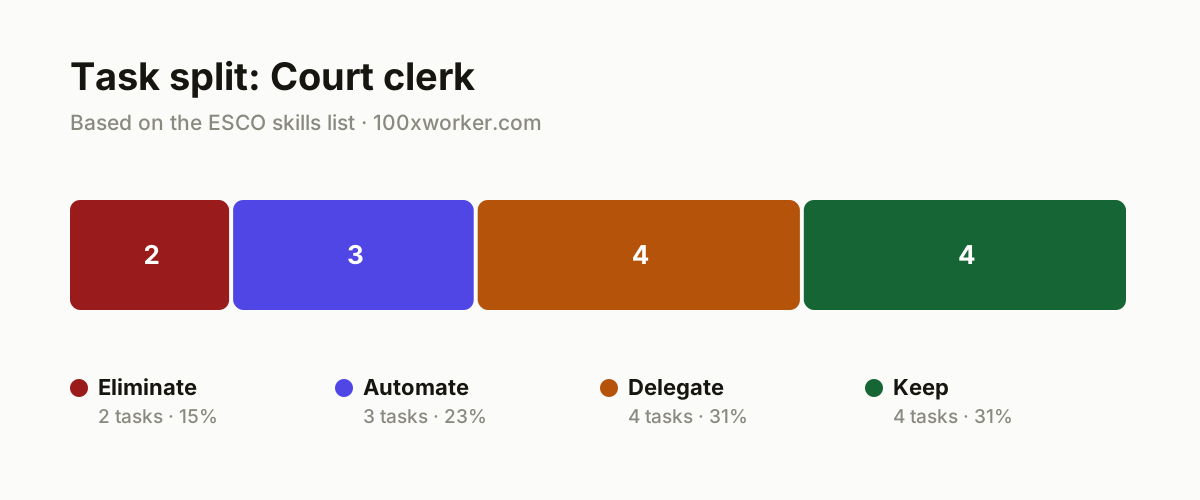
Not every court clerk task faces the same pressure from AI. Some tasks disappear because the paper process behind them is disappearing. Others get automated end to end because they are pure rule-following. A third group gets delegated to AI as a first draft that you still check and sign off on. A last group stays with you because it depends on judgment, live presence, or trust that no model replicates. Sorting your own task list into these four buckets is more useful than asking whether AI will take over the job.
| Task | Bucket | Why |
|---|---|---|
| Manually retyping case file documents into the case management system | eliminate | OCR and document recognition now read and process paper filings automatically. |
| Searching paper archives by hand for earlier rulings | eliminate | Digital, AI-searchable case law databases replace physically leafing through files. |
| Logging court proceedings in the case management system | automate | Status updates and case fields fill in automatically through system integrations. |
| Sending acknowledgment letters and routine correspondence | automate | Fixed templates with variable fields need no human touch per email. |
| Scheduling hearings and sending reminders to parties | automate | Coordinating calendars between judge, lawyers, and parties is rule-following, not judgment. |
| Legal research into relevant statutes and case law | delegate | AI finds and clusters relevant sources fast, you judge relevance and accuracy. |
| Drafting summaries and recommendations for the judge | delegate | A first-draft case summary saves time, the nuance stays your responsibility. |
| Drafting summonses and legal documents | delegate | AI fills templates with case data, you check legal requirements and wording. |
| Drafting answers to routine questions from parties involved | delegate | A draft reply saves writing time, you still control tone and confidentiality. |
| Supporting the judge during the hearing | keep | Live support during a hearing requires judgment made in the moment. (Your edge: No one improvises under pressure the way a person does.) |
| Managing caseloads and case flow | keep | Setting priorities between files is a responsibility, not a calculation. (Your edge: A system cannot take responsibility for the outcome.) |
| Confidential communication with sensitive parties | keep | Victims, defendants, and lawyers need tact no model senses. (Your edge: Empathy in a hard conversation stays human work.) |
| Briefing members of the court in person | keep | Conveying nuance in conversation requires reading context and relationships. (Your edge: You do not build collegial trust through a chatbot.) |
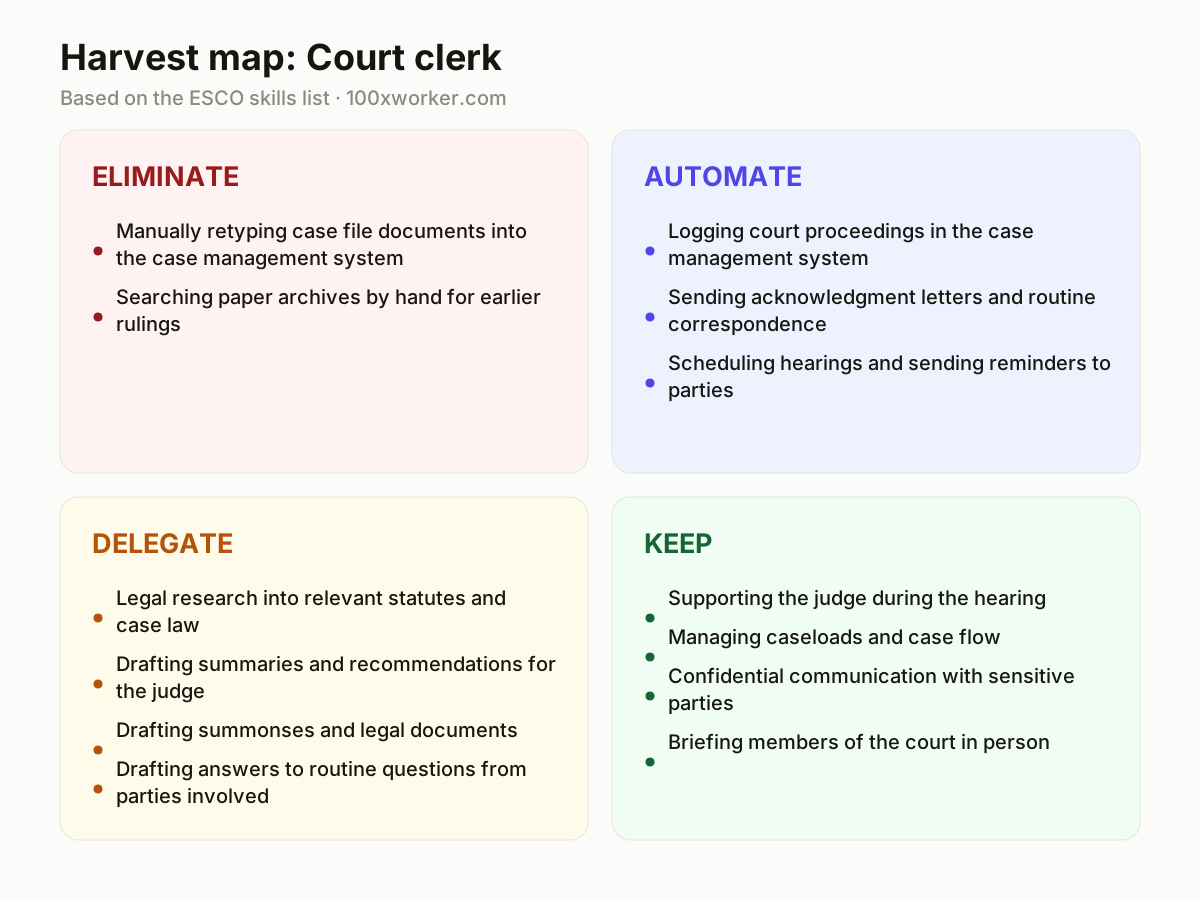
Which court clerk tasks can AI take over?
AI is strongest on the mechanical end of the job: retyping filings, searching archives, logging proceedings, sending routine letters, and scheduling hearings. It is also useful, with review, for legal research, first-draft summaries, template-based document drafting, and routine correspondence with parties. What AI does not do well is anything that requires being physically present in a hearing, weighing competing priorities across a caseload, or reading the emotional state of a victim or defendant. Those tasks stay with you regardless of how good the drafting tools get.
Will AI replace court clerks?
No single fact supports that claim. Microsoft Research found generative AI applicable to about 24.8% of tasks in the closest comparable US occupation, court, municipal, and license clerks, a partial overlap, not a takeover. The role restructures around fewer hours on data entry and document search and more hours on judgment calls, courtroom support, and communication that requires trust. Clerks who treat AI as a drafting and research assistant, rather than ignore it, are the ones whose task list shifts in their favor rather than shrinks.
How do you become the AI-savvy person in the clerk's office?
Start by using AI tools yourself on low-risk tasks (research summaries, draft letters) before anyone asks you to. Document which prompts produce usable first drafts for your case types and share that with colleagues. Volunteer to test a case-management vendor's AI search feature before it rolls out. Offer to write the short internal guide on when a draft needs a second check. Being the person who already knows what works, and what does not, makes you the reference point when the office adopts new tools.
What can you do this month as a court clerk?
Pick one recurring task, such as summarizing a case file or drafting a standard reply, and run it through an AI tool for two weeks, comparing the output against your usual process. Note where it saves time and where it gets legal details wrong. Ask your registry or court IT team what AI features already exist in your case management system but are unused. Bring one concrete example to your team meeting rather than a general opinion about AI. That single test tells you more than any general debate about the technology.
Across 200,000 real Copilot conversations, generative AI showed measurable applicability to roughly a quarter of the work activities in clerical occupations closest to court clerks.
Microsoft Research, Working with AI: Measuring the Applicability of Generative AI to Occupations (2025)
Become the AI person on your team
Build a prompt library for your file types
Save the prompts that actually produce a usable first draft for case summaries, standard letters, or research questions specific to your court. Reuse and refine them instead of starting from scratch each time.
Set a personal review checklist for AI drafts
Before any AI-drafted document reaches a judge or a party, run it against a short checklist covering legal accuracy, correct case references, and tone. This keeps speed gains from becoming accuracy risks.
Track time saved, not just tasks automated
Log roughly how many minutes AI saves you per week on drafting or research. A concrete number is more persuasive to management than a general statement that AI helps.
Want this for your actual task list?
The free scan on the homepage builds your personal task map in 30 seconds, based on your role and industry.
Run the free task scanTools for this work
| Tool | For which tasks | The sober take |
|---|---|---|
| Microsoft Copilot | drafting summaries, routine correspondence, scheduling support | Useful for first drafts inside familiar office software, still needs a legal review pass. |
| Claude or similar large language models | legal research, clustering case law, summarizing long files | Good at finding and organizing sources fast, weak at guaranteeing legal accuracy without a check. |
| AI-enabled case management systems | logging proceedings, status updates, document search | Many court systems already have AI search built in but underused, worth asking IT about it. |
| Transcription tools (e.g. Otter.ai style software) | hearing notes, dictation of draft orders | Speeds up note-taking, but confidentiality rules may limit which tool is allowed in court settings. |
Prompts to try today
First-draft case summary
Legal research starting point
Routine reply to a party
Related jobs
Frequently asked questions
Is 24.8% a measure of how many court clerk jobs will disappear?
No. The Microsoft Research figure measures what share of work activities generative AI shows up in during real usage, not what share of jobs or workers get replaced. A clerk's role includes many tasks, some highly automatable and some not at all, and the score is an average across the closest matching US occupation, not a prediction about employment levels.
Which part of my job is safest from AI?
Anything that happens live in a hearing, anything requiring you to weigh competing priorities across a caseload, and anything involving confidential or emotionally sensitive communication with victims, defendants, or lawyers. These depend on presence, responsibility, and trust, which current AI tools do not replicate.
Should I use AI for legal research if I am not a lawyer?
Yes, as a starting point. AI tools are good at finding and clustering relevant statutes and case law quickly, which shortens the search phase. The judgment about which sources actually apply, and whether the AI got the law right, still needs to come from a trained person, whether that is you or the judge you support.
What is the difference between automation-like and augmentation-like AI use for my job?
Anthropic's Economic Index defines automation-like use as the AI completing a task end to end, and augmentation-like use as the AI helping a person do a task faster. Most current AI use for court clerks falls into the second category: drafting, summarizing, or searching, with a person still checking and finalizing the work before it counts as done.
Sources
- Microsoft Research, Working with AI: Measuring the Applicability of Generative AI to Occupations (2025)
- Anthropic Economic Index
- Eurostat, isoc_ai_iaiu (generative AI use, EU population 16-74)
- ESCO, European Commission occupation and skills taxonomy
Hendrik De Winne, author of Becoming AI-Savvy, founder of VibeLab. Helps teams redesign their work with AI.
This article was drafted with AI assistance from public data sources and editorially reviewed.